Posts

Showing posts with the label iPhone

Dark Mode(Invert Colors): How to Enable it on An iPhone

Image
  Dark mode has multiple benefits, such as extending battery life and reducing strain on the users’ eyes. The users can enable dark mode by inverting colors on the iPhone. The users can access multiple accessibility features on their iPhone. They can use these accessibility features to tweak the display of their iPhone. This tweaking also includes inverting the colors to enable a dark mode. Enabling dark mode makes it easy for the users to use iPhone and improves the overall user experience in general. It is easy and quick to access the options of the inverted colors on your iPhone. Here’s how you can do it. These days, there is a rage to turn on night themes or dark mode on the devices’ apps or operating systems. It is a display setting that you can enable on your device. The dark mode uses light-colored icons, text, and other graphics against a light or dark background. By contrast, the dark text’s default setting against a light backdrop is commonly known as “light mode.” Using ...
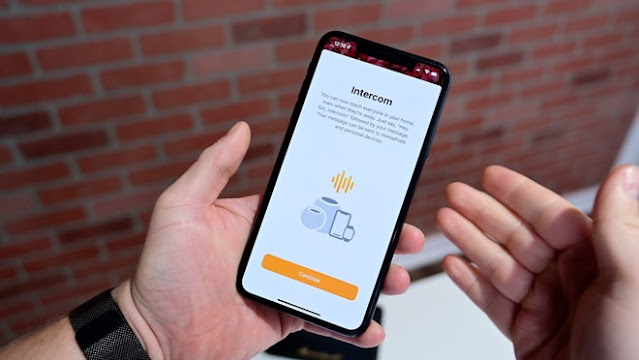
How to Use Intercom on HomePod, iPhone, and more?

Image
  The introduction of iOS 14.2 brought a new voice messaging feature: Intercom. It will help you send your own recordings quickly as voice messages to anyone via the Home app on iOS devices like iPhone, HomePod, etc. If you want to know more about the Intercom feature and how to use the same, then read the post to the end: Set Up Intercom in Home App First, you have to update your device OS to iOS 14.2. An Intercom screen will display once you open the Home app on your device. The displayed Intercom screen will guide you through the entire setup procedure.  To know more, follow these steps: At the start, open the Home app on your device. Then, press the Continue tab once the Intercom prompt comes into view. After that, choose the time when you like to accept Intercom Notifications with just a single tab. Now, hit the Continue button there. Next, toggle the switch located just after the name of the person. Once you are all done, hit the Continue tab to complete the setup proced...